Monday, March 17, 2014

Lumia 520 As iPod Replacement

I do not know of too many people who regularly use an iPod, most seem to use their phone for music, apps etc. Kids seem to love to use phones, tablets as well.  You probably do not want to shell out a few hundred dollars for an iPod for a 5 years old.  I suggest getting the $59 Nokia Lumia 520.  It works just fine without a SIM card and is inexpensive enough that you can feel comfortable letting a child use it.  All of the music and video you could want is available from the Xbox Store.  While it is still lacking in apps, there are still plenty of apps for children including the Mickey Mouse Clubhouse.

Check out the Nokia Lumia 520 GoPhone on Amazon, still $59.

List of Windows Phone Apps for Kids / Families - http://www.windowsphone.com/en-us/store/top-free-apps/kids-family/kidsandfamily

Convergence 2014–Sessions Posted!

All of the Convergence Sessions have been posted!

Here is a subset I would recommend watching.  There are plenty more that are excellent as well. 

CRM Leo Release (Spring Update 1)

Leo: Transform your Customer Service with Microsoft Dynamics CRM - https://vts.inxpo.com/Launch/Event.htm?DisplayItem=E122780&ShowKey=18130

Microsoft Dynamics CRM: Product roadmap and future vision - https://vts.inxpo.com/Launch/Event.htm?DisplayItem=E122791&ShowKey=18130

CRM Mobility

Mobility Options in CRM - https://vts.inxpo.com/Launch/Event.htm?DisplayItem=E122802&ShowKey=18130

Microsoft Dynamics CRM: Building and customizing mobile applications - https://vts.inxpo.com/Launch/Event.htm?DisplayItem=E122803&ShowKey=18130

CRM Development / Engineering

Developer's guide to integration with Microsoft Dynamics CRM - https://vts.inxpo.com/Launch/Event.htm?DisplayItem=E122886&ShowKey=18130

Microsoft Dynamics CRM 2013: Key platform enhancements - https://vts.inxpo.com/Launch/Event.htm?DisplayItem=E122796&ShowKey=18130

Microsoft Dynamics CRM 2013: Upgrade considerations - https://vts.inxpo.com/Launch/Event.htm?DisplayItem=E122794&ShowKey=18130

Microsoft Dynamics CRM: Customizing the user interface - https://vts.inxpo.com/Launch/Event.htm?DisplayItem=E122885&ShowKey=18130

Microsoft Dynamics CRM: Performance planning, tuning and optimization - https://vts.inxpo.com/Launch/Event.htm?DisplayItem=E122883&ShowKey=18130

CRM Social

Getting started with a social strategy - https://vts.inxpo.com/Launch/Event.htm?DisplayItem=E122799&ShowKey=18130

Harnessing social technologies with Microsoft Dynamics CRM - https://vts.inxpo.com/Launch/Event.htm?DisplayItem=E122798&ShowKey=18130

Social listening deep dive - https://vts.inxpo.com/Launch/Event.htm?DisplayItem=E122880&ShowKey=18130

CRM Online

How Microsoft delivers your Microsoft Dynamics CRM online services - https://vts.inxpo.com/Launch/Event.htm?DisplayItem=E122797&ShowKey=18130

CRM Unified Service Desk

Unified Service Desk: Enabling a super-agent! - https://vts.inxpo.com/Launch/Event.htm?DisplayItem=E122779&ShowKey=18130

Dynamics AX

If you want to see something cool that is not CRM specific, check out this AX presentation on manufacturing.  Customer Orders from Web Site, Processed by AX, AX triggers a 3D printer to create the product.

https://vts.inxpo.com/Launch/Event.htm?DisplayItem=E122864&ShowKey=18130

Business Leadership Sessions

A colleague and I wondered into one of these classes during some unscheduled time.  These are sessions I did not even think about attending but turned out to be amazing.  Not about technology but about building business / personal skills.  Below are a few courses but I would recommend checking them all out. 

Dale Carnegie Workshop: 20 ways to build trust and credibility with your team/leadership development - https://vts.inxpo.com/Launch/Event.htm?DisplayItem=E122487&ShowKey=18130

Dale Carnegie Workshop: Build a better retention mousetrap and keep the people who have what it takes to raise performance to the next level - https://vts.inxpo.com/Launch/Event.htm?DisplayItem=E122486&ShowKey=18130

Dale Carnegie Workshop: Leading effective virtual meetings - https://vts.inxpo.com/Launch/Event.htm?DisplayItem=E122490&ShowKey=18130

Dale Carnegie Workshop: Producing results with people - https://vts.inxpo.com/Launch/Event.htm?DisplayItem=E122492&ShowKey=18130

Virtual Convergence Home Page –

Go to https://presentations.inxpo.com/Shows/microsoft/MSConvergence/3-14/Login/index.html

Sign in on the right side of the page to access the Sessions.

Friday, March 14, 2014

CRM 2013 Rollups and Version Numbers

One of the pain points with patching CRM is the risk of new feature breaking your existing code.  Microsoft has changed there strategy a bit when it comes to releasing rollups.

Going forward, rollups will only contain bug fixes and security patches.  This is great news given most of us have experienced a breaking change in a rollup!

Service Packs such as the upcoming Spring Update for CRM 2013 will contain new features.  The new features will be enabled by default but can be disabled with configuration.

Going forward, version numbers in CRM will follow this pattern:
6.0.0.* [Major.ServicePack/minor.RollupNumber.buildnumber]

So after you apply rollup 1, the version will be 6.0.1.*.  This is a nice change and we can finally put away our build number / rollup mapping charts.

Thanks for this CRM Product Team!

CRM 2011–IFD, Calling the SOAP Endpoint from Another Application Using JavaScript with Single Sign On


Recently, I was helping some developers trying to use the CRM 2011 SOAP Endpoint with JavaScript and also getting single sign on.  Both apps are in the same domain but the CRM endpoint in an IFD (External URL) requires a username and password login.

A little background, we have a large group of users who access CRM and other internal apps remotely.  Typically, users access CRM using the External URL that requires them to enter there credentials, even from a domain joined machine.  The application that is calling CRM, is using integrated authentication so they are not directly capturing the users credentials. 

There are a few things that need to be in place to get this to work.  First, DirectAccess.  DirectAccess is like an always connected VPN and is awesome, more companies should consider using it especially with a large remote user base.  More info on DirectAccess here http://technet.microsoft.com/en-us/network/dd420463.aspx.  Publishing CRM’s internal URL via DirectAccess is key to getting SSO to work.  After the URL is published, remote users can browse to CRM’s internal URL and Single Sign on will work.  As a side note, you must make sure your ADFS URL is also published over DirectAccess or be externally available.  It usually is if you are using ADFS / Claims but it should be checked.  DirectAccess is not required if your users can access your internal CRM URL otherwise (always in the corporate network).

Next up the code approach.  This is a rather crude example but it works and can be modified to be much more robust.   When we make a call to the web service the first time, the response will be the ADFS login page.  Usually, when you browse to CRM’s internal URL, this page is submitted automatically.  See below response script.

<script language="javascript">window.setTimeout('document.forms[0].submit()', 0);</script></body></html>


So how do we submit the form to get the MSISAuth and MSISAuth1 cookies? The answer is an iFrame. 


First, we add a placeholder <div> and an Iframe to the page that needs to call CRM’s web service. (A more robust solution would create the iFrame on the fly and keep it hidden.  For simplicity, we will leave it on the form.

<div id="placeHolder"></div>
<iframe name="iframe1"></iframe>


When we get the ADFS login page back in the response, we set the contents of the placeholder div = to the response form.  We then grab the form for the document model, change its target to the iFrame, and submit the form.  This allows use to get the MSISAuth and MSISAuth1 cookies.  Our next call to the web service will return the appropriate response.  In this example, we are just retrieving the entity metadata and displaying the SOAP response on the form.


Full Example HTML Page -

<!DOCTYPE html>
<html xmlns="http://www.w3.org/1999/xhtml">
<head>
<title>CRM Test</title>
</head>
<body>
<div id="placeHolder"></div>
<iframe name="iframe1"></iframe>
<script type="text/javascript">

function GetCRMToken()
{

var request = [
"<soapenv:Envelope xmlns:soapenv=\"http://schemas.xmlsoap.org/soap/envelope/\">",
"<soapenv:Body>",
"<Execute xmlns=\"http://schemas.microsoft.com/xrm/2011/Contracts/Services\" xmlns:i=\"http://www.w3.org/2001/XMLSchema-instance\">",
"<request i:type=\"a:RetrieveAllEntitiesRequest\" xmlns:a=\"http://schemas.microsoft.com/xrm/2011/Contracts\">",
"<a:Parameters xmlns:b=\"http://schemas.datacontract.org/2004/07/System.Collections.Generic\">",
"<a:KeyValuePairOfstringanyType>",
"<b:key>EntityFilters</b:key>",
"<b:value i:type=\"c:EntityFilters\" xmlns:c=\"http://schemas.microsoft.com/xrm/2011/Metadata\">Entity</b:value>",
"</a:KeyValuePairOfstringanyType>",
"<a:KeyValuePairOfstringanyType>",
"<b:key>RetrieveAsIfPublished</b:key>",
"<b:value i:type=\"c:boolean\" xmlns:c=\"http://www.w3.org/2001/XMLSchema\">true</b:value>",
"</a:KeyValuePairOfstringanyType>",
"</a:Parameters>",
"<a:RequestId i:nil=\"true\" />",
"<a:RequestName>RetrieveAllEntities</a:RequestName>",
"</request>",
"</Execute>",
"</soapenv:Body>",
"</soapenv:Envelope>"].join("");
var req = new XMLHttpRequest();
req.open("POST", "{INTERNAL_CRM_URL_GOES_HERE}/XRMServices/2011/Organization.svc/web", false);
try { req.responseType = 'msxml-document' } catch (e) { }
req.setRequestHeader("Accept", "application/xml, text/xml, */*");
req.setRequestHeader("Content-Type", "text/xml; charset=utf-8");
req.withCredentials = true;
req.setRequestHeader("SOAPAction", "http://schemas.microsoft.com/xrm/2011/Contracts/Services/IOrganizationService/Execute");
req.onreadystatechange = function ()
{
if (req.readyState == 4 /* complete */)
{
req.onreadystatechange = null; //Addresses potential memory leak issue with IE
if (req.status == 200)
{
//Success
var doc = req.responseXML;
debugger;
//Submit the initial request to the iframe
var placeHolder = document.getElementById('placeHolder');
placeHolder.innerHTML = req.responseText;
document.forms[0].target = "iframe1";
document.forms[0].submit();


}
else
{
errorCallBack(_getError(req));
}
}
};
req.send(request);
}

function GetMetaData()
{

var request2 = [
"<soapenv:Envelope xmlns:soapenv=\"http://schemas.xmlsoap.org/soap/envelope/\">",
"<soapenv:Body>",
"<Execute xmlns=\"http://schemas.microsoft.com/xrm/2011/Contracts/Services\" xmlns:i=\"http://www.w3.org/2001/XMLSchema-instance\">",
"<request i:type=\"a:RetrieveAllEntitiesRequest\" xmlns:a=\"http://schemas.microsoft.com/xrm/2011/Contracts\">",
"<a:Parameters xmlns:b=\"http://schemas.datacontract.org/2004/07/System.Collections.Generic\">",
"<a:KeyValuePairOfstringanyType>",
"<b:key>EntityFilters</b:key>",
"<b:value i:type=\"c:EntityFilters\" xmlns:c=\"http://schemas.microsoft.com/xrm/2011/Metadata\">Entity</b:value>",
"</a:KeyValuePairOfstringanyType>",
"<a:KeyValuePairOfstringanyType>",
"<b:key>RetrieveAsIfPublished</b:key>",
"<b:value i:type=\"c:boolean\" xmlns:c=\"http://www.w3.org/2001/XMLSchema\">true</b:value>",
"</a:KeyValuePairOfstringanyType>",
"</a:Parameters>",
"<a:RequestId i:nil=\"true\" />",
"<a:RequestName>RetrieveAllEntities</a:RequestName>",
"</request>",
"</Execute>",
"</soapenv:Body>",
"</soapenv:Envelope>"].join("");
var req2 = new XMLHttpRequest();

req2.open("POST", "{INTERNAL_CRM_URL_GOES_HERE}/XRMUAT/XRMServices/2011/Organization.svc/web", false);
try { req.responseType = 'msxml-document' } catch (e) { }
req2.setRequestHeader("Accept", "application/xml, text/xml, */*");
req2.setRequestHeader("Content-Type", "text/xml; charset=utf-8");
req2.withCredentials = true;
req2.setRequestHeader("SOAPAction", "http://schemas.microsoft.com/xrm/2011/Contracts/Services/IOrganizationService/Execute");
req2.onreadystatechange = function ()
{
if (req2.readyState == 4 /* complete */)
{
req2.onreadystatechange = null; //Addresses potential memory leak issue with IE
if (req2.status == 200)
{
//debugger;
var placeHolder2 = document.getElementById('placeHolder2');
placeHolder2.innerText = req2.responseText;
}
else
{
errorCallBack(_getError(req));
}
}
};
req2.send(request2);

}

function _getError(resp)
{
///<summary>
/// Private function that attempts to parse errors related to connectivity or WCF faults.
///</summary>
///<param name="resp" type="XMLHttpRequest">
/// The XMLHttpRequest representing failed response.
///</param>

//Error descriptions come from http://support.microsoft.com/kb/193625
if (resp.status == 12029)
{ return new Error("The attempt to connect to the server failed."); }
if (resp.status == 12007)
{ return new Error("The server name could not be resolved."); }
var faultXml = resp.responseXML;
var errorMessage = "Unknown (unable to parse the fault)";
if (typeof faultXml == "object")
{

var faultstring = null;
var ErrorCode = null;

var bodyNode = faultXml.firstChild.firstChild;

//Retrieve the fault node
for (var i = 0; i < bodyNode.childNodes.length; i++)
{
var node = bodyNode.childNodes[i];

//NOTE: This comparison does not handle the case where the XML namespace changes
if ("s:Fault" == node.nodeName)
{
for (var j = 0; j < node.childNodes.length; j++)
{
var testNode = node.childNodes[j];
if ("faultstring" == testNode.nodeName)
{
faultstring = _getNodeText(testNode);
}
if ("detail" == testNode.nodeName)
{
for (var k = 0; k < testNode.childNodes.length; k++)
{
var orgServiceFault = testNode.childNodes[k];
if ("OrganizationServiceFault" == orgServiceFault.nodeName)
{
for (var l = 0; l < orgServiceFault.childNodes.length; l++)
{
var ErrorCodeNode = orgServiceFault.childNodes[l];
if ("ErrorCode" == ErrorCodeNode.nodeName)
{
ErrorCode = _getNodeText(ErrorCodeNode);
break;
}
}
}
}

}
}
break;
}

}
}
if (ErrorCode != null && faultstring != null)
{
errorMessage = "Error Code:" + ErrorCode + " Message: " + faultstring;
}
else
{
if (faultstring != null)
{
errorMessage = faultstring;
}
}
return new Error(errorMessage);
};

//Get the MSISAuth cookies
//Ideally, the code would check for the presence of the auth cookies before making this call. If they already exist, skip this step
GetCRMToken();

//Set the timeout to make sure the ADFS post occurs before making the next call
setTimeout(GetMetaData, 400, null);


</script>

<div id="placeHolder2"></div>
</body>
</html>


You can also download the sample from here https://onedrive.live.com/redir?resid=FFCD1C6BBDDCB813!2669&authkey=!rWUBUZ81Dc0%24&ithint=file%2c.zip 


There are obviously a lot of changes that can be made to make this more robust but this should be enough to get started.


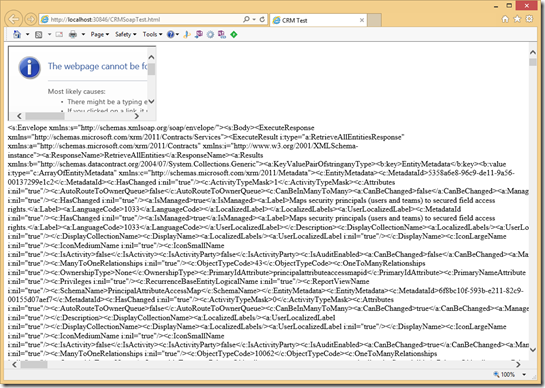
Below is the metadata SOAP response after the ADFS form is submitted.

image


This is my first post in a long time and there will be more to come.


Happy Coding!

Thursday, September 29, 2011

Where is the License Key in the Crm 2011 Database?

In Crm 4, you could get the license key by executing the following SQL:

SELECT LicenseKey FROM ConfigSettings

This value is now null is Crm 2011.  The new column name is LicenseKeyV5RTM.

So the new Select statement is:

SELECT LicenseKeyV5RTM FROM ConfigSettings

Hope this saves someone some time.

--Scott

Thursday, July 28, 2011

Microsoft CRM 2011 How to Configure IFD Hosted Setup

Posting this so mainly so i don't forget about it.  Microsoft Dynamics 2011 - Setting up IFD.  This is one of the best posts on IFD i have seen.

http://www.interactivewebs.com/blog/index.php/server-tips/microsoft-crm-2011-how-to-configure-ifd-hosted-setup/


Enjoy.

Tuesday, July 12, 2011

Crm 2011–Request Error in the OrganizationData.svc


I fought this error for an hour this afternoon.  I was setting the the URL to the OrganizationData.svc like so HTTP://CRMDEV-VPC:5555/XRMSERVICES/2011/ORGANIZATIONDATA.SVC/.  This always returned “Request Error” in blue bold letters followed by
The server encountered an error processing the request. See server logs for more details.
So I enabled tracing and retrieved the following from the trace log:
[2011-02-16 16:55:35.910] Process: w3wp |Organization:00000000-0000-0000-0000-000000000000 |Thread:    7 |Category: Platform.Sdk |User: 00000000-0000-0000-0000-000000000000 |Level: Error | ServiceModelTraceRedirector.TraceData
While this error may appear to be unhelpful, it really tells us  quite a bit.  Notice the Organization and the User are set to an empty GUID.  This is clearly an issue. Crm 2011’s OrganizationData.svc requires the Organization name be present in the the URL.  So the fix was quite simple, add the organization name to the URL:
Hope this saves someone some time.

Crm 2011 Enabling Tracing with PowerShell


Tired of digging through the registry to enable tracing in Crm? Well, you can use PowerShell to enable/disable tracing in Crm 2011. Most of this script is from HTTP://SUPPORT.MICROSOFT.COM/KB/907490 but I had to make a few changes to get it to work. 
THE FOLLOWING POWERSHELL ENABLES TRACING:
Add-PSSnapin Microsoft.Crm.PowerShell
Get-CrmSetting TraceSettings
$setting = Get-CrmSetting TraceSettings
$setting.Enabled=1
Set-CrmSetting $setting
Get-CrmSetting TraceSettings
IISRESET
THE FOLLOWING POWERSHELL DISABLES TRACING:
Add-PSSnapin Microsoft.Crm.PowerShell
Get-CrmSetting TraceSettings
$setting = Get-CrmSetting TraceSettings
$setting.Enabled=0
Set-CrmSetting $setting
Get-CrmSetting TraceSettings
IISRESET
I changed the “True” and “False” from the KB article to 0 and 1 because “False” did not work.  I also added an IISRESET to the end, which is required to turn tracing on or off.
Executing the scripts in Server 2008 R2 is simple, just right click execute PowerShell. 
Enjoy!

Microsoft.ReportViewer.Webforms version error


After you the report viewer you may get the following error when trying to use the ReportViewer Control:
CS0433: The type ‘Microsoft.Reporting.WebForms.ReportViewer’ exists in both ‘c:\WINDOWS\assembly\GAC_MSIL\
Microsoft.ReportViewer.WebForms\8.0.0.0__b03f5f7f11d50a3a\
Microsoft.ReportViewer.WebForms.dll’ and ‘c:\WINDOWS\assembly\GAC_MSIL\
Microsoft.ReportViewer.WebForms\9.0.0.0__b03f5f7f11d50a3a\
Microsoft.ReportViewer.WebForms.dll’
The following will force the control to always use version 9.0 of the control.  Add the following to your web.config:


                                  publicKeyToken=”b03f5f7f11d50a3a” />
                                newVersion=”9.0.0.0″/>


Hope this helps.

Monday, June 14, 2010

My First F# App

I wanted to learn the basics of F# so i wrote a little app to organize my movie folder.  My movie folder was a folder that contained a bunch of movies.  I wanted to organize the movies alphabetically into folders with the first letter being the name of the folder.  After getting used to the syntax of F#, i found writing this little app to be just a easy as C#.
Here is the code:
Code Snippet
  1. #light
  2.  
  3. open System
  4. open System.IO
  5.  
  6. let title : string = "My Movie Organizer"
  7.  
  8. Console.WriteLine(title)
  9.  
  10. Console.WriteLine("This Application will move all files in a folder to subfolders with the first letter as the folder name.")
  11.  
  12. Console.WriteLine("Please enter the path of the folder you want to organize")
  13. let folderPath : string = Console.ReadLine()
  14.  
  15. if folderPath <> String.Empty then
  16.  
  17.     let dirInfo : DirectoryInfo = new DirectoryInfo(folderPath)
  18.  
  19.     for x : FileInfo in dirInfo.GetFiles() do
  20.         let firstLetter : char = x.Name.Chars 0
  21.     
  22.         let currentDirectory : DirectoryInfo = new DirectoryInfo(String.Format("{0}\\{1}\\", folderPath, firstLetter.ToString()))
  23.  
  24.         //If the current folder exists, move the file there else create the folder then move th file
  25.         if currentDirectory.Exists then
  26.             let xFilePath : string = currentDirectory.FullName
  27.             x.MoveTo(xFilePath + x.Name)
  28.         else
  29.             currentDirectory.Create()
  30.             let xFilePath : string = currentDirectory.FullName
  31.             x.MoveTo(xFilePath + x.Name)        
  32.         //Write out the file name and path    
  33.         Console.WriteLine(String.Format("Moving File {0} to Folder {1} ", x.FullName, currentDirectory.FullName))
  34. else
  35.     Console.WriteLine("Please specify a base path")
  36. //Wait for key press to end
  37. let endValue : string = Console.ReadLine()
Being a C# developer, i couldn’t help but explicitly type my variables (although unnecessary).  The first couple of lines are just writing out some text and waiting for the user to enter a path to a folder the want organized.  Next, the base folder path is opened as a directory info object.  Then we loop through all of the files in the directory and grab the first letter of the file name.  After checking if the folder exists, we either move the file or create the new folder and move the file.  The readline at the end just waits for the user to enter a key to end the program.
This is a very simple app and by no means enterprise level with error checking ,etc.  Just a basic app to move some files around in F#.

Sunday, June 6, 2010

How to get the CrmService URL without using the registry

Yes, the Crm Service URL is available in registry but what if the client does not want your custom web page/site to have access the registry? Well here is a simple way to build the SDK URL from the Request object in a web page.

Assumptions:

  • Your page lives in the CrmWeb/ISV folder
    • Which means you custom page will have the same URL as the SDK
  • If you are using an ISV page in a multi org deployment, be sure to use the prependOrgName function or manually append the org name to ISV URL
    • var sUrl = prependOrgName("/ISV/Ascentium/mypage.aspx”)
    • prependOrgName is an unsupported Crm Function.

First the URL Template and the URI Property:

private const string CRM_SDK_URL = "{0}{1}{2}:{3}/mscrmservices/2007/crmservice.asmx";

private Uri _currentUri;

/// <summary>
/// Gets the current URI.
/// </summary>
/// <value>The current URI.</value>
private Uri CurrentUri
{
get
{
if (_currentUri == null)
{
_currentUri = this.Request.Url;
}
return _currentUri;
}
}


Now we use string.Format to create the SDK URL from the URI and the Template:


private CrmService _service;
/// <summary>
/// Gets the current service.
/// </summary>
/// <value>The current service.</value>
private CrmService CurrentService
{
get
{
if(_service == null)
{
_service = new CrmService();
_service.CrmAuthenticationTokenValue = CrmAuthenticationToken.ExtractCrmAuthenticationToken(this.Context, "MY_ORG");
_service.Url = string.Format(CRM_SDK_URL, CurrentUri.Scheme, Uri.SchemeDelimiter, CurrentUri.Host, CurrentUri.Port);
}

return _service;
}
}


And that is it.  Now the SDK Url can be built dynamically from the Request. This method could be adapted to fit other scenarios as well.

Thursday, May 27, 2010

Creating a Lookup with Javascript in Crm 4

This is one on those things that i always forget how to do it so i am posting it. 

From the SDK:

//Create an array to set as the DataValue for the lookup control.
var lookupData = new Array();
//Create an Object add to the array.
var lookupItem= new Object();
//Set the id, typename, and name properties to the object.
lookupItem.id = '{1AAC1363-01A1-DB11-8432-0003FF9CE217}';
lookupItem.typename = 'account';
lookupItem.name = 'A Bike Store';
// Add the object to the array.
lookupData[0] = lookupItem;
// Set the value of the lookup field to the value of the array.
crmForm.all.parentaccountid.DataValue = lookupData;

Friday, April 2, 2010

How to Create a New Guid with Javascript in Crm 4

Ever needed to create a new Guid on the fly with Javascript in Crm 4? There is actually a Javascript function that does just that.

  • Add a reference to CRMWeb\_static\Tools\FormEditor\Scripts\util.js (If necessary)
  • The function name is GetGuid()

The Code from util.js:

function GetGuid()
{
var sGuid = null;

try
{
var oCommand = new RemoteCommand("SystemCustomization", "GetGuid");
var oResult = oCommand.Execute();
if (oResult.Success)
{
sGuid = oResult.ReturnValue;
}
}
catch (e)
{
sGuid = null;
}

if (!sGuid)
{

openErrorDlg("0x80043b10");
}

return sGuid;
}


The function is used in Crm for creating a new import job and probably other things as well.  It is completely unsupported to use this function in your code, but imho better than using a third party JavaScript library to create the Guid.

Wednesday, March 17, 2010

Adding Multi processor support to a 32 bit Windows 2003 VirtualBox Image

Say you have an existing Windows 2003 R2 Virtual Machine with all of your favorite software installed.  When you installed the machine only had a single processor and now you are using a Virtual Environment that supports multiple processors.  Both processors will show up in the device manager but the OS is not using them (See task manager).  To remedy this issue, you need to replace the HAL.  After you complete Windows setup, there is not an out of the box way to replace the HAL.  This has only been tested on Windows 2003 R2 Sp2 but should work for all XP/Win2003 flavors. 

Disclaimer: I am not responsible for broken machines or nuclear war.  Information is provided as is.

Note: Requires the existing HAL be ACPI based or this will blow up your machine.

Retrieve the following HAL libraries from the Service pack folder (C:\WINDOWS\ServicePackFiles\i386) and rename them accordingly:

ACPI Multiprocessor PC
- halmacpi.dll (renamed to hal.dll)
- ntkrpamp.exe (renamed to ntkrnlpa.exe)
- ntkrnlmp.exe (renamed to ntoskrnl.exe)

· Drop the renamed files into the system32 folder and shutdown. 

· In VirtualBox’s Machine Settings, I enabled  IO APIC in the System > motherboard tab.

· On the Processor tab I changed the number of processors to 2

· Start the Virtual Machine

· Prompted me for a reboot after first log in

· After reboot, both CPU’s can be seen in the task manager.

Tuesday, November 10, 2009

Crm 4: Enabling all fields on Bulk Edit

A customer requested to be able to edit all fields on the bulk edit form.  A few things to note about this:

  • Your form javascript will not fire on the Bulk Edit page.  So if you have any validation, filter lookups, etc… they will not work.  (Unless you reattach the events of course)
  • All fields will be enable by this method, you will have to specifically exclude fields you wish to remain disabled.
  • Unsupported change.

Ok, lets get to the code:

  1. Open $CRmInstallDir\CRMWeb\_grid\cmds\dlg_BulkEdit.aspx
  2. Scroll down to around line 21
  3. There is a for loop that is is looping through the crmForm.all object
  4. Below line 23 (o = crmForm.all[i]) add the following code
    1. o.Disabled = false
    2. o.disabled = false
  5. You need both disabled flags to account for Data fields and lookups
  6. Save the page
  7. Test a bulk edit

Good Luck!

Sunday, May 17, 2009

Unlocking and using the Associate/Dissociate Entities Message in Crm 4

Pre-requisites:

After using the SQL from Aarons post, when you open the plugin registration tool, you will now have two new messages available. AssociateEntity and DissociateEntity. You will find these using these messages a quick alternative to otherwise hacking the grid. Plus, according to Aaron’s post, he is pushing Microsoft to ‘Unlock’ these messages in an upcoming Rollup so this may very well become supported evetually. First let’s take a look at some sample code from a plugin i wrote to work with these new messages:

public class ManyToManyTriggerContactUpdate : IPlugin
{
private const string MONIKER1 = "moniker1";
private const string MONIKER2 = "moniker2";
private const string ENTITY_TO_CAPTURE = "contact";

/// <summary>
/// Intercepts the Associate Entities message updates and triggers an update
/// </summary>
/// <param name="context"></param>
public void Execute(IPluginExecutionContext context)
{
//Check if the first moniker is the purchase order
if (context.InputParameters.Properties.Contains(MONIKER2) &&
context.InputParameters.Properties[MONIKER2] is Moniker)
{
Moniker moniker2 = (Moniker)context.InputParameters.Properties[MONIKER2];

if (moniker2.Name == ENTITY_TO_CAPTURE )
{
DynamicEntity triggerContactUpdate = new DynamicEntity();

triggerContactUpdate.Name = PURCHASE_ORDER_ENTITY;
triggerContactUpdate.Properties.Add(new KeyProperty("contactid", new Key(moniker2.Id)));

context.CreateCrmService(true).Update(triggerContactUpdate);
//return if we successfully triggered an update
return;
}

}
if (context.InputParameters.Properties.Contains(MONIKER1) &&
context.InputParameters.Properties[MONIKER1] is Moniker)
{
Moniker moniker1 = (Moniker)context.InputParameters.Properties[MONIKER1];

if (moniker1.Name == ENTITY_TO_CAPTURE)
{
DynamicEntity triggerContactUpdate = new DynamicEntity();

triggerContactUpdate.Name = ENTITY_TO_CAPTURE ;
triggerContactUpdate.Properties.Add(new KeyProperty("contactid", new Key(moniker1.Id)));

context.CreateCrmService(true).Update(triggerContactUpdate);
return;
}
}
}
}


This plugin checks the name of the monikers to see if one is the contact entity. The reason we have to check the Monikers is because the Associate message currently cannot be assigned to an entity, therefore all Associate/Dissociate Messages are captured by the plugin. While this may not be ideal for optimal performance, there is very little overhead in checking a few values after the message executes. The rest of this plugin creates a Dynamic entity of contact , assigns the key from the moniker and uses the ICrmService to trigger an update. So whenever ‘Add Existing’ is clicked in Crm, the contact record will be updated. Of course you will probably set values to be updated on the contact, or like this one, just needed to fire an update plugin on the contact.


Ah, the disclaimer:


This hack is currently unsupported by Microsoft so please use at your own risk. I nor Microsoft will take any responsibility if something goes wrong. I will try to answer any question, however you are mostly on your own with this.


Happy Hacking!

Saturday, May 16, 2009

Code Rush Xpress for C# and VB

Free Visual Studio Addin from devexpress.com

Supported Features

CodeRush Xpress includes the following features.

  • Duplicate Line
  • Highlight All References
  • Increase or Reduce Selection
  • Smart Clipboard Operations
  • Generate from Using (TDD)
  • Quick Navigation Window
  • Quick File Navigation

check it out here

Friday, May 15, 2009

Crm 4 fixes from Rollup 4

Update Rollup 4 for Microsoft Dynamics CRM 4.0 is available

Fixes from Rollup 4:

Hotfixes and updates that you have to enable or configure manually

Update Rollup 4 for Microsoft Dynamics CRM 4.0 contains the following hotfixes and updates that you have to enable or configure manually. To enable or configure these hotfixes and updates on the server that is running Microsoft Dynamics CRM 4.0, follow the instructions in the following Microsoft Knowledge Base articles.

The following Knowledge Base articles contain steps that you can follow before you install Update Rollup 4 if you want to maintain the functionality of the release version of Microsoft Dynamics CRM 4.0:
  • 948155 (http://support.microsoft.com/kb/948155/ ) A date or a time may not be converted to UTC time in the database for some time zones in Microsoft Dynamics CRM 4.0
  • 950476 (http://support.microsoft.com/kb/950476/ ) A date or a time is not converted to UTC time in the database for some time zones in Microsoft Dynamics CRM 4.0
  • 958562 (http://support.microsoft.com/kb/958562/ ) The default precision of a money field is set to two when you use the Korean language or the Japanese language in Microsoft Dynamics CRM 4.0
The following Knowledge Base articles contain hotfixes and updates that you have to enable or configure manually and that are included in Update Rollup 4:
  • 959758 (http://support.microsoft.com/kb/959758/ ) You cannot configure an Active Directory domain schema and Microsoft Dynamics CRM 4.0 URLs independently for external Active Directory users and for internal Active Directory users
  • 963054 (http://support.microsoft.com/kb/963054/ ) Quick Campaign "E-mail via Mail Merge" does not excludes inactive members on the list
  • 969946 (http://support.microsoft.com/kb/969946/ ) A tool is available to extract the tracking token from the e-mail subject and update the tracking token column of the e-mail table in Microsoft Dynamics CRM 4.0
  • 958084 (http://support.microsoft.com/kb/958084/ ) A hotfix is available to disable the Smart Matching feature in Microsoft Dynamics CRM 4.0
  • 951909 (http://support.microsoft.com/kb/951909/ ) Error message when you try to import a customization to another Microsoft Dynamics CRM 4.0 server: "Invalid name prefix"
The following Knowledge Base articles contain hotfixes and updates that you have to enable or configure manually and that are included in Update Rollup 3.

Note If you previously installed Update Rollup 3 and if you manually enabled these hotfixes and updates, you do not have to manually enable them after you apply Update Rollup 4.
  • 958562 (http://support.microsoft.com/kb/958562/ ) The default precision of a money field is set to two when you use the Korean language or the Japanese language in Microsoft Dynamics CRM 4.0
  • 956330 (http://support.microsoft.com/kb/956330/ ) Slow performance and high CPU utilization occur when you import customizations in Microsoft Dynamics CRM 4.0
  • 968515 (http://support.microsoft.com/kb/968515/ ) The existing custom security roles are not granted hidden privileges after you apply hotfix 950886 in Microsoft Dynamics CRM 4.0
  • 958601 (http://support.microsoft.com/kb/958601/ ) In Microsoft Dynamics CRM 4.0, the notes are lost if a duplicate record is detected when you try to save a record
  • 968672 (http://support.microsoft.com/kb/968672/ ) The recipient does not see the Microsoft Dynamics CRM tracked e-mail icon when a Microsoft Dynamics CRM user sends another Microsoft Dynamics CRM user a Microsoft Dynamics CRM tracked e-mail message
  • 968755 (http://support.microsoft.com/kb/968755/ ) The AsyncOperationBase and WorkflowLogBase tables grow very large and performance issues occur when you use many workflows in Microsoft Dynamics CRM 4.0
  • 968793 (http://support.microsoft.com/kb/968793/ ) You have to manually modify the Web.config file after you install or remove a Microsoft Dynamics CRM 4.0 hotfix or update rollup
The following Knowledge Base articles contain hotfixes and updates that you have to enable or configure manually and that are included in Update Rollup 2.

Note If you previously installed Update Rollup 2 and if you manually enabled these hotfixes and updates, you do not have to manually enable them after you apply Update Rollup 3.
  • 955452 (http://support.microsoft.com/kb/955452/ ) Line feeds are not used when you send an e-mail message that uses an e-mail template to render data that has line feeds in Microsoft Dynamics CRM 4.0
  • 955745 (http://support.microsoft.com/kb/955745/ ) Error message when you try to configure the Microsoft Dynamics CRM 4.0 client for Outlook: "This implementation is not part of the Windows Platform FIPS validated cryptographic algorithms"
  • 956527 (http://support.microsoft.com/kb/956527/ ) The Microsoft Dynamics CRM client for Outlook consumes three times as much memory in version 4.0 as in version 3.0
  • 959248 (http://support.microsoft.com/kb/959248/ ) Microsoft Dynamics CRM 4.0 slows to unacceptable levels when you process e-mail messages by using the Microsoft Dynamics CRM E-mail Router
  • 957871 (http://support.microsoft.com/kb/957871/ ) The Workflow Expansion Task records cause the AsyncOperationBase table in the MSCRM database to grow too large in Microsoft Dynamics CRM 4.0
  • 959549 (http://support.microsoft.com/kb/959549/ ) Administrators can unexpectedly view Active Directory users who do not belong to the administrator's organizational unit in Microsoft Dynamics CRM 4.0
The following Knowledge Base articles contain hotfixes and updates that you have to enable or configure manually and that are included in Update Rollup 1.

Note If you previously installed Update Rollup 1 and if you manually enabled these hotfixes and updates, you do not have to manually enable them after you apply Update Rollup 3.
  • 950175 (http://support.microsoft.com/kb/950175/ ) You cannot use Outlook as expected until all Microsoft Dynamics CRM 4.0 add-ins are loaded
  • 950542 (http://support.microsoft.com/kb/950542/ ) Synchronous plug-ins do not respond to the events that are triggered in Microsoft Dynamics CRM 4.0
  • 953340 (http://support.microsoft.com/kb/953340/ ) E-mail messages from a CRM user to a queue are not delivered in Microsoft Dynamics CRM 4.0
  • 954811 (http://support.microsoft.com/kb/954811/ ) Microsoft Dynamics CRM 4.0 Deployment Manager takes a long time to open on a Microsoft Dynamics CRM 4.0 server

Hotfixes and updates that were released as individual fixes

Update Rollup 4 for Microsoft Dynamics CRM 4.0 contains the following hotfixes and updates that were released as individual fixes:
  • 970136 (http://support.microsoft.com/kb/970136/ ) A user whose account was a parent account of a child account can unexpectedly view the child records of the child account even if the account is no longer a parent account of the child account in Microsoft Dynamics CRM 4.0
  • 969776 (http://support.microsoft.com/kb/969776/ ) Notes do not synchronize to the offline database as expected
  • 950266 (http://support.microsoft.com/kb/950266/ ) You are looped in the sign-in page when you try to run the Data Migration Manager Wizard in Microsoft Dynamics CRM 4.0
  • 969287 (http://support.microsoft.com/kb/969287/ ) The e-mail router moves unsolicited e-mail messages to an undeliverable folder if the at symbol (@) is the first character in a sender's display name in Microsoft Dynamics CRM 4.0
  • 961135 (http://support.microsoft.com/kb/961135/ ) Error message when you try to open a view in a service calendar in Microsoft Dynamics CRM 4.0: "Error: Exception of type 'System.Web.HttpUnhandledException' was thrown"

Issues that were not previously documented in a Knowledge Base article

Update Rollup 4 for Microsoft Dynamics CRM 4.0 resolves the following issues that were not previously documented in a Knowledge Base article:
  • Consider the following scenario.
    • You create a workflow rule for the Systemuser entity.
    • You add a step in the workflow rule to send an e-mail message by using an e-mail template.
    • You publish the workflow rule.
    • You run the workflow rule against a user.
    In this scenario, you receive one of the following error messages:
    Invalid Argument

    Cannot find record for sending email
  • In the Hungarian version of Microsoft Dynamics CRM 4.0, "Aging" is translated to "Öregedés" instead of "Korosítás."
  • You have the Portuguese (Brazilian) version of Microsoft Dynamics CRM 4.0 installed. When you try to upgrade the trial license, you cannot click to select the check box to accept to the End User License Agreement (EULA). Additionally, you cannot view the EULA.
  • In the operating system, you use a time zone setting in which "00:00:00" does not exist. Then, you set a birth date or a contract end date. After you save the date, the date is decremented by one day.
  • After you upgrade from Microsoft Dynamics CRM 3.0 to Microsoft Dynamics CRM 4.0, the last auto-numbering values that are assigned to invoices and to sales orders in Microsoft Dynamics CRM 3.0 are reused in Microsoft Dynamics CRM 4.0.
  • Consider the following scenario in Microsoft Dynamics CRM 4.0. You share an account with another user. Then, you merge the account with another account that is not a shared account. The user is automatically granted share rights to the merged account as expected. Finally, you update the sharing options of the merged account to remove share rights. In this scenario, if the user has user level read permissions on the shared account entity, the user can still view the merged account.
  • You have the duplicate detection feature enabled for an entity. In an offline state in Microsoft Dynamics CRM client for Outlook, you create or update a record that is a duplicate record on the Microsoft Dynamics CRM server. Then, when you go online, you receive a warning message that states that the record is a duplicate record. If you ignore the warning message and then go online, the changes that you made are not synchronized to the server. When you go offline, the record that you created or updated is unavailable.
  • When you use the Enhanced Presence feature of Microsoft Office Communicator 2007 in Microsoft Dynamics CRM, you receive the following message:
    Do you want to continue running scripts on this page?
    If you click Yes, you receive the following error message:
    Internet Explorer Script Error
    An error has occurred in the script of this page
    Error: "Library not registered" or "Object required"
    This problem occurs if the first name of a contact contains a null value.
  • When you try to create a task or an appointment whose duration is one day, two days or three days in the Russian version of Microsoft Dynamics CRM 4.0, you receive the following error message:
    Input string was not in a correct format.
    Additionally, if you have enabled the Platform tracing functionality, you also receive an error message that resembles the following:
    Error Number: 0x80040239
    Error Message: The date-time format is invalid, or value is outside the supported range.
  • You install Update Rollup 2 or Update Rollup 3 for the Polish version of Microsoft Dynamics CRM 3.0. When you try to upgrade to Microsoft Dynamics CRM 4.0, you receive the following error message:
    Action Microsoft.Crm.Setup.Server.PublishDefaultDataAction failed.
  • You create a service activity. Then, when you select scheduling times, you receive one or more of the following error messages:
    Microsoft Dynamics CRM was unable to save the change to duration. Try changing the duration Value again.
    An error has happened getting the date.
    The requested record was not found or you do not have sufficient permissions to view it. Error code: 0x80040217
    This problem occurs if you use Bulgarian settings in Microsoft Dynamics CRM 4.0.
  • You create a mail merge template that set Quote as an associated entity in Microsoft Dynamics CRM 4.0. In the template, you specify some data fields for the Current User (User) type record. Then, you run the Create a Template in Word function to create a template in Microsoft Word. However, the specified data fields for the Current User (User) type record are unavailable in the Word mail merge template.
  • When you run a Microsoft Dynamics CRM 4.0 scheduled report, you receive the following error message:
    Microsoft.ReportingServices.ReportProcessing.ReportProcessingException: Cannot create a connection to data source 'CRM'., ;
    Info: Microsoft.ReportingServices.ReportProcessing.ReportProcessingException: Cannot create a connection to data source 'CRM'. --->
    Microsoft.Crm.CrmConfigObjectNotFoundException: User Was Not Found
    This problem occurs if the Microsoft Dynamics CRM 4.0 and the Microsoft SQL Server reporting services are installed on different computers.
  • When you update a field that is not mapped to a Microsoft Dynamics CRM contact field in a Microsoft Dynamics CRM tracked contact, the icon changes from the Microsoft Dynamics CRM contact icon to the Microsoft Office Outlook contact icon. If you update a field that is mapped to a Microsoft Dynamics CRM contact field, the icon changes back to the Microsoft Dynamics CRM contact icon.
  • When you go offline in the Microsoft Dynamics CRM 4.0 client for Outlook, the Cassini local Web server does not cache static files.
  • You install the Microsoft Dynamics CRM 4.0 client for Outlook. When you try to use the Select from outlook contacts option to select a list of recipients for a mail merge document data source in Microsoft Word, you receive the following error message:
    Unable to obtain list of tables from the data source.
  • Microsoft Outlook becomes unresponsive when a Microsoft CRM 4.0 add-in is loaded and used.
  • When you try to open an activity item of an Activity Propagation system job, you receive the following error message:
    Object reference not set to an instance of an object.
    This problem occurs if the activity was distributed by a marketing campaign.
  • In Outlook, you create a contact, a task, or an appointment that is tracked in Microsoft Dynamics CRM. Additionally, some parent records or some corresponding records are specified outside Outlook. In this scenario, the Microsoft Dynamics CRM category is not updated to display the name of the parent records or the name of the corresponding records.
  • You can enter 5,000 characters for an ntext attribute in Microsoft Dynamics CRM 4.0. However, you cannot run the Import Data Wizard to import data that contains more than 4,000 characters into Microsoft Dynamics CRM 4.0 for an ntextattribute.
  • You use a POP3 provider for the Incoming profile in the E-mail Router Configuration Manager. When you receive a plain text format e-mail message that contains some special characters, the special characters are removed from the e-mail message.
  • When you perform a mail merge on a quote, the currencyfields of some corresponding products in a document are displayedincorrectly. A dot (.) character is always used as a decimal separator even if the system configuration does not use a dot (.) character as a decimal separator.
  • You use a date format that is not an English (United States) date format in Microsoft Dynamics CRM 4.0. Then, when you run the Sales History report, the report displays labels incorrectlyin the monthly view, or the report displays no labels in the monthly view.
  • In some language versions of Microsoft Dynamics CRM 4.0, the Duplicate Detection dialog box does not display the Help button, the Save Record button, and the Cancel buttons as expected.
  • You have a deliver-promote request that is created from the Microsoft Dynamics CRM 4.0 client for Outlook. When you use the Software Development Kit (SDK) to perform some logic on the deliver-promote request, the following properties of the request only contain e-mail addresses:
    • To
    • Cc
    • Bcc
    • From
    However, you expect that these properties also contain display names.
  • Consider the following scenario. You enable the User Account Control feature on a Windows Vista-based computer. In the Microsoft Dynamics CRM 4.0 client for Outlook, you click CRM, and then you click Import Data. In this scenario, you receive the following error message:
    There was an error while executing action for the menu item/button.
  • When you save a security role that is used in multiple Active Directory domain controllers on different subnets, Microsoft Dynamics CRM 4.0 becomes unresponsive for two to three minutes. However, after two to three minutes, the security role is saved.
  • When you import a customization, you receive the following error message:
    Failure: TransactionCurrency_New__test_new: A SQL-Server error occurred. Try this action again.
    This problem occurs if the following conditions are true:
    • The customization that you want to import was exported from another Microsoft Dynamics CRM organization.
    • You deleted the last money typeattribute of an entity in the customization.
    NOTE: You must apply Update Rollup 4 to the organization from which you export the customizations in order to resolve the issue when you import those customizations.
  • You change text of a label. However, when you click Save to save the changed text, the text reverts back to the original text. This problem occurs if you applied Update Rollup 2 for Microsoft Dynamics CRM 4.0.
  • You go offline in the Microsoft Dynamics CRM 4.0 client for Outlook. When you try to create or open a record, you receive the following error message:
    Record is unavailable. The requested record was not found or you do not have sufficient permissions to view it. If you are offline, the record was not taken offline. Update your local data groups to include this record and resynchronize.
    This problem occurs because you have limited access tothe BusinessUnit entity.
  • After you import an organization, the owner of the reports is not updated as expected.
  • When you use the Import Wizard to import some data, some incorrect rows may be created. Therefore, you run the Export Error Rows function to export these incorrect rows, and then you import the data again. However, in a non-English environment, the Import Wizard cannot recognize the .CSV file that is created by the Export Error Rows function. As result, the automatic data map that is used in the import process cannot be used again if you import the data again.
  • You configure an e-mail route to monitor the user mailboxes for incoming e-mail messages. However, if an error occurs when an e-mail message is processed, the e-mail message is moved to the Undeliverable folder unexpectedly.
  • In the EmailAgent.xml file, the LogLevel parameter is reset to 1 either when the E-Mail Router service is restarted or when the ConfigUpdatePeriod time value is reached. Therefore, the logging process cannot be controlled at the individual user level.
  • The Dispose method of the CrmImpersonator class does work as expected. Therefore, some resources cannot be released and a memory leak may occur.
  • When you run the Export Report to Excel function by using the Dynamics PivotTable option, you receive the following error message:
    This file cannot be opened because of errors. Errors are listed in: C:\Users\UserName\AppData\Local\Microsoft\Windows\Temporary InternetFiles\Content.MSO\FileName.log
    Additionally, if you have enabled the Platform tracing functionality, you also receive an error that resembles the following:
    XML ERROR in PivotTable
    REASON: Bad Value
    FILE: C:\Documents and Settings\\Local Settings\Temporary Internet Files\OLK70C\My%20Team's%20Open%20Activities%20(Due_Overdue)%202009-01-22%2016_51_18Z1 (2).xls
    GROUP: PivotField
    TAG: Name
    VALUE: Activity Type
    This problem occurs if you export some reports from a custom view that contains the activitytypecode attribute.
  • After you install Update Rollup 2 for Microsoft Dynamics CRM 4.0, the tab ordering in a form is incorrect. This problem occurs if a section in the form has more fields in the right column than in the left column.
  • The dynamic values are formatted incorrectly for numeric values when you create a workflow rule. This problem occurs if the numeric separator in the regional settings has changed from a default numeric separator.
  • When you try to merge two accounts or two contacts, you receive the following error message:
    The status of the contract does not allow this action.
    Additionally, if you have enabled the Platform tracing functionality, you also receive an error that resembles the following:
    Error Number: 0x80043203 Error Message: The state is invalid, this contract line item cannot be updated.
    This problem occurs if a subordinate contact or a subordinate account has some active contracts that contain contract lines.
  • You create a workflow rule for an entity. The entity contains a primary attribute that has more than 256 characters. However, when you perform the workflow rule, you receive the following error message:
    MessageProcessor fail to process message 'Create' for 'asyncoperation'.
    Crm Exception: Message: , ErrorCode: -2147204784, InnerException:
    System.Data.SqlClient.SqlException: String or binary data would be truncated.
    The statement has been terminated.
  • You create an e-mail template. However, when you use the template, single space characters are not recognized. Additionally, two space characters and three space characters are recognized as single space characters.
  • If you edit an .XML file, a custom attribute can be added as a system attribute. For example, if you set zero in the tag in the .XML file or if you remove the IsCustomField node from the XML file, the IsCustomFieldattribute is displayed as a system attribute.
  • You can add a user who does not belong to a specified organizational unit (OU) to an OU even if you set the UserRootPath value to restrict Active Directory searches.
    For more information about how to set the UserRootPath value to restrict Active Directory searches, click the following article number to view the article in the Microsoft Knowledge Base:
    959549 (http://support.microsoft.com/kb/959549/ ) Administrators can unexpectedly view Active Directory users who do not belong to the administrator's organizational unit in Microsoft Dynamics CRM 4.0
  • After you install Update Rollup 3 for Microsoft Dynamics CRM 4.0 you cannot open the Subject editor in the Business Management setting. This problem occurs if you use a non-English version of Microsoft Dynamics CRM 4.0 and you install the Multilingual User Interface Pack (MUI).
  • You have a role that has the user-level read privilege on an e-mail entity. However, after you install Update Rollup 3 for Microsoft Dynamics CRM 4.0 and enable hotfix 955138 by setting the EnableRetrieveMultipleOptimization value to 1, you cannot create a new e-mail activity. Additionally, you cannot open any existing e-mail activity that you own.
    For more information, click the following article number to view the article in the Microsoft Knowledge Base:
    955138 (http://support.microsoft.com/kb/955138/ ) You experience slow performance or timeouts when you try to access some views in Microsoft Dynamics CRM 4.0
  • When you try to run the Data Migration Manager Wizard in Microsoft Dynamics CRM 4.0, you are returned to the sign-in page. This problem occurs even if you applied hotfix 950266 that is included in Update Rollup 2 for Microsoft Dynamics CRM 4.0.
    For more information, click the following article number to view the article in the Microsoft Knowledge Base:
    950266 (http://support.microsoft.com/kb/950266/ ) You experience slow performance or timeouts when you try to access some views in Microsoft Dynamics CRM 4.0

Update rollup information

The following file is available for download from the Microsoft Download Center:

Download the 968176 package now. (http://www.microsoft.com/downloads/details.aspx?FamilyID=0ddf8e83-5d9c-4fe7-9ae6-f2713a024071)

Release Date: May 7, 2009

For more information about how to download Microsoft support files, click the following article number to view the article in the Microsoft Knowledge Base:
119591 (http://support.microsoft.com/kb/119591/ ) How to obtain Microsoft support files from online services
Microsoft scanned this file for viruses. Microsoft used the most current virus-detection software that was available on the date that the file was posted. The file is stored on security-enhanced servers that help prevent any unauthorized changes to the file.

Installation information

Install this update rollup on computers that are running the Microsoft Dynamics CRM 4.0 server components or the Microsoft Dynamics CRM client for Outlook components. After you install this update rollup, delete the temporary files in Windows Internet Explorer. To do this, follow these steps:
  1. Start Internet Explorer.
  2. Click Tools, and then click Internet Options.
  3. Use one of the following methods, as appropriate for the version of Internet Explorer that you use:
    • In Windows Internet Explorer 7, click Delete in the Browsing history area, click Delete files in the Temporary Internet Files area, and then click Yes.
    • In Microsoft Internet Explorer 6, click Delete Files in the Temporary Internet files area, and then click OK.

Prerequisites

You must have Microsoft Dynamics CRM 4.0 installed to apply this update rollup. Update Rollup 1 and Update Rollup 2 are not prerequisites.

Restart requirement

If you are prompted, restart the computer after you apply this update rollup.

Removal information

You can uninstall this update rollup by using the Add or Remove Programs item in Control Panel. For more information about software update terminology, click the following article number to view the article in the Microsoft Knowledge Base:
824684 (http://support.microsoft.com/kb/824684/LN/ ) Description of the standard terminology that is used to describe Microsoft software updates
For more information about Microsoft Business Solutions CRM software hotfix and update package terminology, click the following article number to view the article in the Microsoft Knowledge Base:
887283 (http://support.microsoft.com/kb/887283/ ) Microsoft Business Solutions CRM software hotfix and update package naming standards

Microsoft Dynamics CRM for Microsoft Office Outlook Auto Update Patch IDs and Link IDs


For more information on utilizing the Auto Update functionality reference the following sources:
LanguageLinkIDPatchID
Arabic150735&clcid=0x401{B8FA1593-5D95-4A27-8D30-FBD5C8C7D669}
Chinese (Simplified)150735&clcid=0x804{132C41AD-58CC-430A-A3F0-E7C1C5EB4843}
Chinese (Hong Kong)150735&clcid=0xc04{492256AE-F318-4406-B7D2-B0223D894427}
Chinese (Traditional)150735&clcid=0x404{99D3A8E2-CD62-4978-9066-48BE31AA41F8}
Czech150735&clcid=0x405{BF32E73F-7C68-499B-A3F8-315DCD423D61}
Danish150735&clcid=0x406{5F8DBEF3-3E0C-48DE-ABD0-C3DB5D5A88FD}
Dutch150735&clcid=0x413{96C1CB0F-4BA3-461C-A60D-A06FE76AFAFB}
English150735&clcid=0x409{004A7E60-5DB7-4F05-B7C1-1D2DD653A1A6}
Finish150735&clcid=0x40b{B1042A93-4934-4A88-BAF9-BBB09A76F7BF}
French150735&clcid=0x40c{1AAFA074-8BFD-4B9A-ABB2-130926716DDD}
German150735&clcid=0x407{F2E68C34-40CE-4A30-8884-A5F68257E6E9}
Greek150735&clcid=0x408{51C11A6C-BDD3-4312-B8D9-F91F898E8947}
Hebrew150735&clcid=0x40d{8F9EFF69-49DF-449D-8EB7-6BAE9A538A65}
Hungarian150735&clcid=0x40e{BAB023E5-935A-47DD-B05F-F3D495670146}
Italian150735&clcid=0x410{5008A9EB-7ABD-4F9C-8040-B9E7D9102645}
Japanese150735&clcid=0x411{EBF03CEC-497D-4AA4-B634-54A6ABBE20B1}
Korean150735&clcid=0x412{49F1FF6B-BD9A-4B89-A3D7-8AF2B7AA405F}
Norwegian150735&clcid=0x414{528E0EE8-B96A-4703-8B46-03D5A5092358}
Polish150735&clcid=0x415{4688325D-7E72-4688-A335-82B2EC8DFC93}
Portuguese (Brazil)150735&clcid=0x416{E5E224C3-0B80-4097-9B5F-94A2FEA8229D}
Portuguese (Portugal)150735&clcid=0x816{169766CC-6D44-4567-BDDC-A707BA5B7760}
Russian150735&clcid=0x419{0AF278AF-47FE-4577-89E7-7A8076415C7C}
Spanish150735&clcid=0xc0a{D26FEBBF-7B11-4BD3-9B93-7E409DF004D8}
Swedish150735&clcid=0x41d{5908D20B-220F-455B-9664-9C3A2DBB0270}
Turkish150735&clcid=0x41f{937D0AD1-70F9-44E1-9BE0-EB8A7B00E056}